🎬🔐 Creating Users with Different Permissions for the Offtube Project
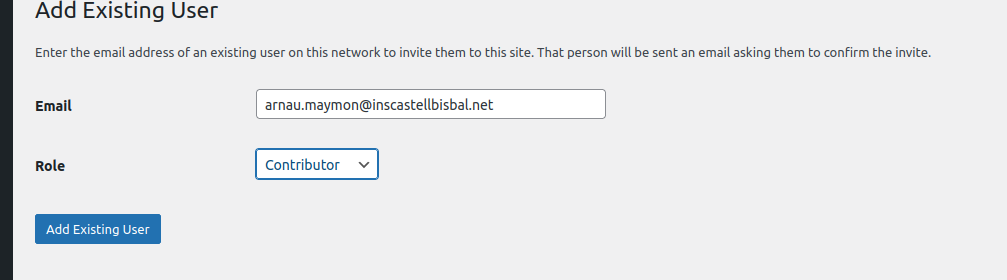
As part of your Offtube synthesis project, you created two users: Arnau and Youssef. Each user has different permissions depending on the tasks they are expected to perform within the application. Below is a breakdown of the user creation and permission assignment process:
Step 1: User Creation 👤
Access the administration platform: First, you logged into the application or database management system where users are handled.
Permission level: Youssef was granted advanced permissions, allowing him to edit content, upload files, and modify certain features within the platform. ✏️📤
Step 2: Assigning Different Permissions 🛠️🔑
Once the users were created, you assigned them permissions based on the roles they need to fulfill:
Arnau: He was given limited permissions. This means he can view content and interact with the basic features of the platform, but he cannot make significant changes or edit videos. This is useful to avoid errors or unintended modifications. 🚫🔧
Youssef: He was granted advanced permissions, including the ability to edit videos, upload new content, and adjust platform settings. This gives Youssef more control over the platform and allows him to actively contribute to content creation. ⚙️💾
Step 3: Reviewing Permissions and Security 🔒
Finally, after creating the users and assigning their permissions, you reviewed the security settings to ensure everything was properly configured. This included checking the passwords, verifying the expiration dates of permissions, and making sure each user had access only to the features they needed.
Esta web utiliza cookies propias y de terceros para su correcto funcionamiento y para fines analíticos y para mostrarte publicidad relacionada con sus preferencias en base a un perfil elaborado a partir de tus hábitos de navegación. Contiene enlaces a sitios web de terceros con políticas de privacidad ajenas que podrás aceptar o no cuando accedas a ellos. Al hacer clic en el botón Aceptar, acepta el uso de estas tecnologías y el procesamiento de tus datos para estos propósitos.